How to Use TempEmail for Safe and Anonymous Email Communication
Temporary email services are becoming increasingly popular for those seeking online privacy, security, and convenience.
TempMail offers a fast and easy way to generate temporary email addresses for anonymous communication.
Whether you're signing up for a website, avoiding spam, or protecting your identity, 1Sec-Mail is a reliable tool. Here's a detailed guide on how to use it effectively.
What is Temp-Email?
Temp-Email.io is a free and simple-to-use temp mail service that generates random email addresses for short-term use. Emails are automatically deleted after a certain period, ensuring your privacy and keeping your inbox clutter-free.
Why Use Temp-Email?
- Privacy Protection: Avoid exposing your personal email address.
- Spam Prevention: Prevent unwanted promotional emails and spam.
- Quick and Easy: Generate emails instantly without registration.
How to Use Temp-Email
Follow these easy steps to start using Temp-Email for anonymous email communication:
Step 1: Visit the Temp-Email Website
Simply navigate to the Temp-Email Homepage to begin.
Step 2: Generate a Temporary Email Address
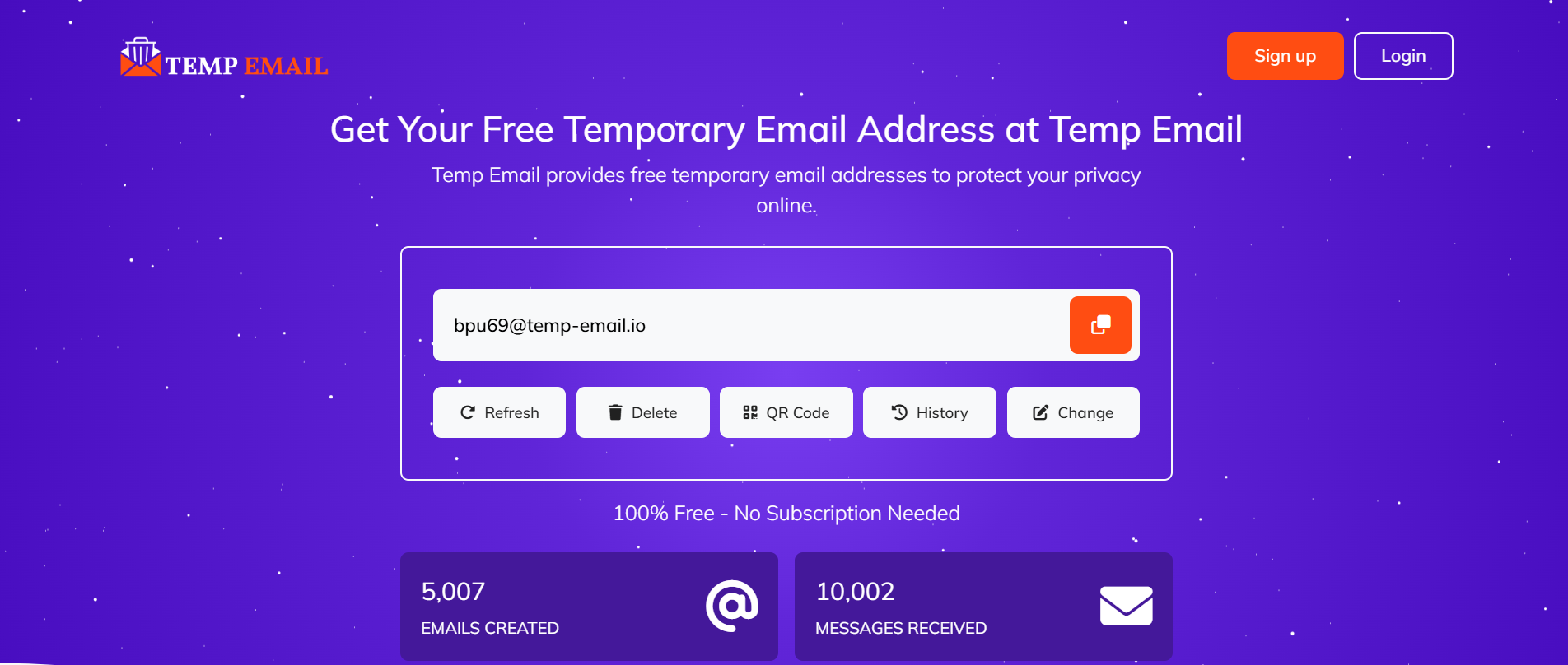
Click the “Generate Email” button to receive a random email address. You can refresh or create a new one anytime.
Step 3: Copy Your Temporary Email Address
Use the “Copy” button to copy the generated email address to your clipboard quickly.
Step 4: Use the Temporary Email Address
Enter your temporary email address wherever required online, such as during website registrations or sign-ups.
Step 5: Check Incoming Messages
Emails sent to your temporary address will appear in the Inbox Section on the Temp-Email website. You can read, refresh, or delete them as needed.
Step 6: Delete or Refresh Your Email Address
Once you are done, you can delete or refresh the email address to generate a new one.
Important Tips
- Emails are automatically deleted after a set time. Save important information before it's gone.
- Use temporary emails only for non-essential accounts to avoid losing access.
- Check the Features Page to explore all the benefits of the service.
Conclusion
Using Temp-Email is a smart way to maintain privacy and avoid spam. With its simple interface and quick setup, you can easily generate disposable email addresses whenever needed. Give it a try and protect your online identity!